



My Account Screen
3 minute read
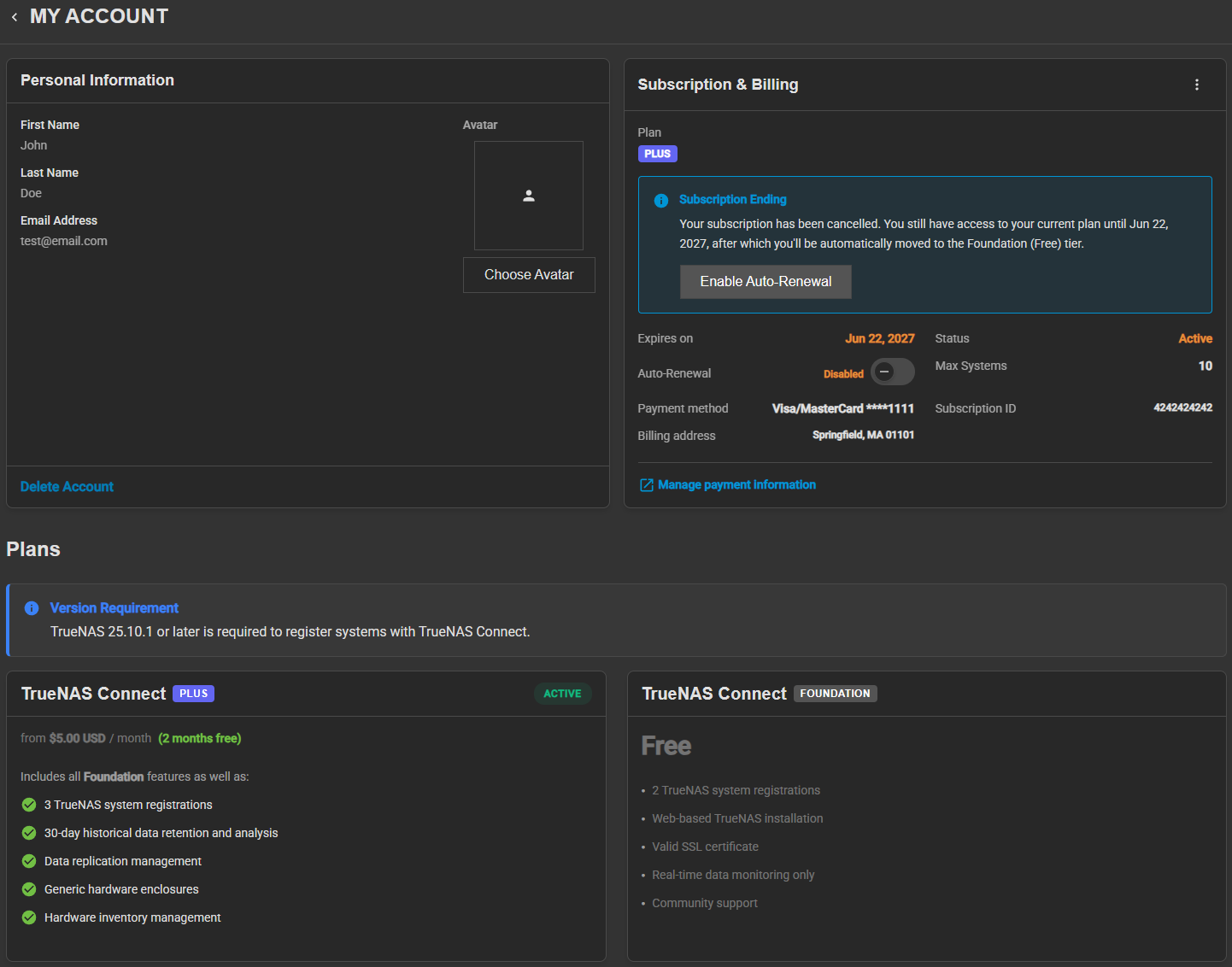
The TrueNAS Connect My Account screen shows personal information, subscription and billing details, available plans, and account deletion options.
Personal Information
The Personal Information widget shows the account details and avatar, and provides the account deletion option.
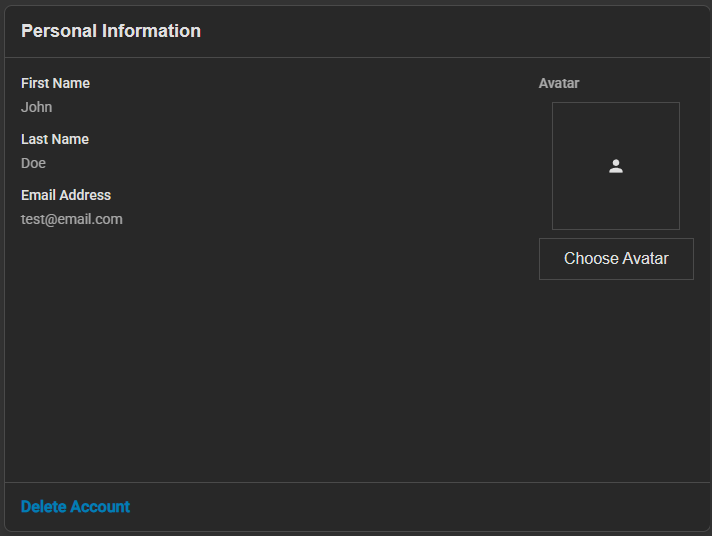
The account fields are read-only and show the information from the account used to authenticate with TrueNAS Connect.
Avatar
The Avatar area shows the current avatar image, or a default person icon when no avatar is set.
Choose Avatar opens a file selection dialog to upload a new avatar image. The uploader accepts image files in JPG, PNG, and WebP formats.
The button deletes the current avatar and restores the default icon.
Delete Account
Delete Account opens the Delete Account confirmation dialog for permanent account removal.
Subscription & Billing
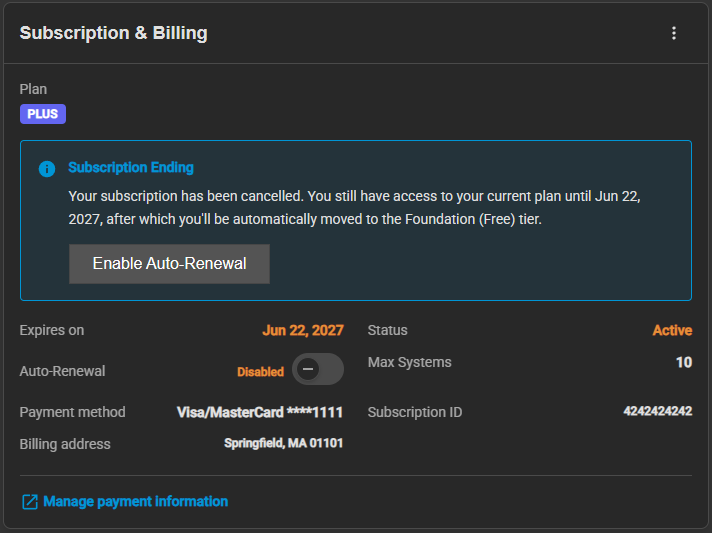
The Subscription & Billing widget shows the current plan, subscription status, and payment details for the account.
Auto-Renewal
Toggle that sets whether the subscription renews automatically. When disabled, the subscription ends on the expiration date.
Plans
The Plans section shows the available TrueNAS Connect plan tiers and the features included with each.
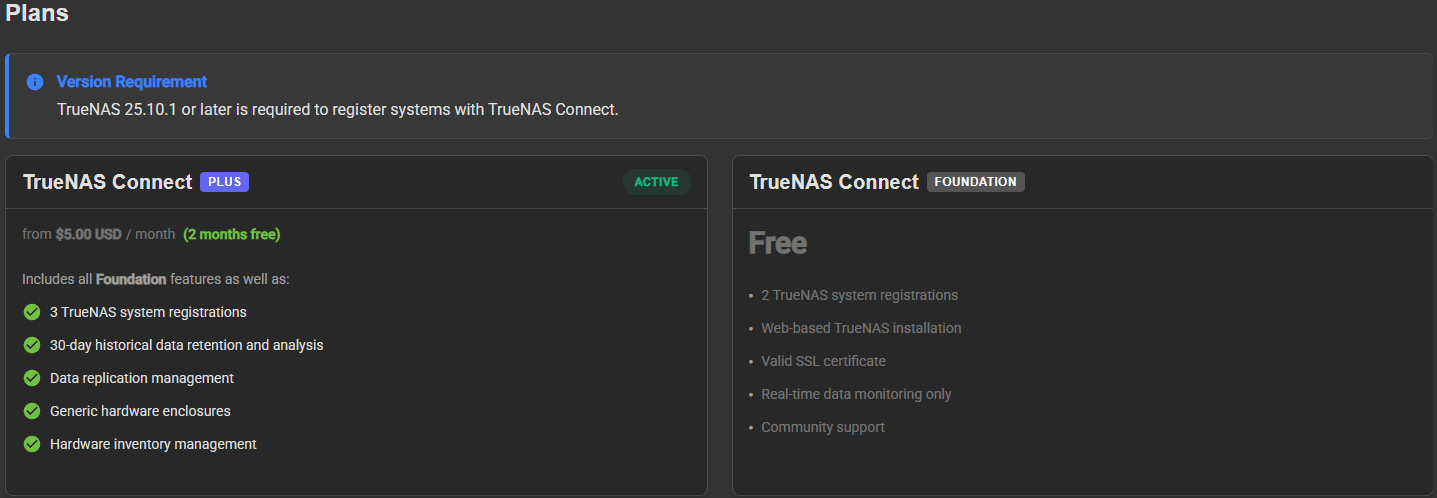
A Version Requirement notice lists the minimum TrueNAS version required to register systems with TrueNAS Connect.
Each plan card shows the tier name, price, and included features. The card for the active plan shows an Active badge.
Language
TrueNAS Connect automatically selects the interface language based on your browser’s language preferences. The interface supports English (default), Spanish, French, and German. TrueNAS Connect uses the highest-priority language in your browser’s language list that it supports. To change the interface language, update your browser’s language preferences.
Delete Account Dialog
Delete Account opens a confirmation dialog that explains the consequences of account deletion.
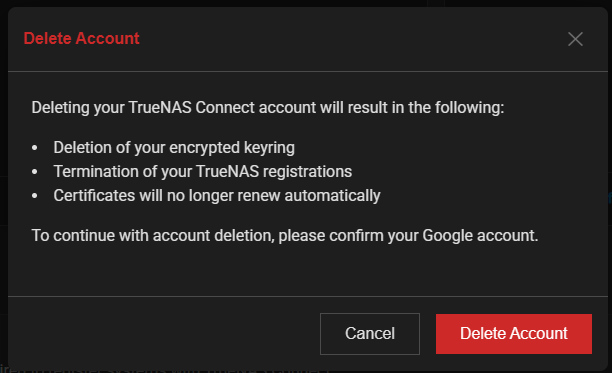
The dialog warns about the permanent consequences of deleting an account. Deleting a TrueNAS Connect account results in:
- Deletion of the encrypted keyring: All stored encryption keys are permanently removed.
- Termination of TrueNAS registrations: Systems are no longer registered with TrueNAS Connect.
- Certificates no longer renew automatically: SSL and TLS certificates require manual renewal.